
How to delete your charging account
Account deletion
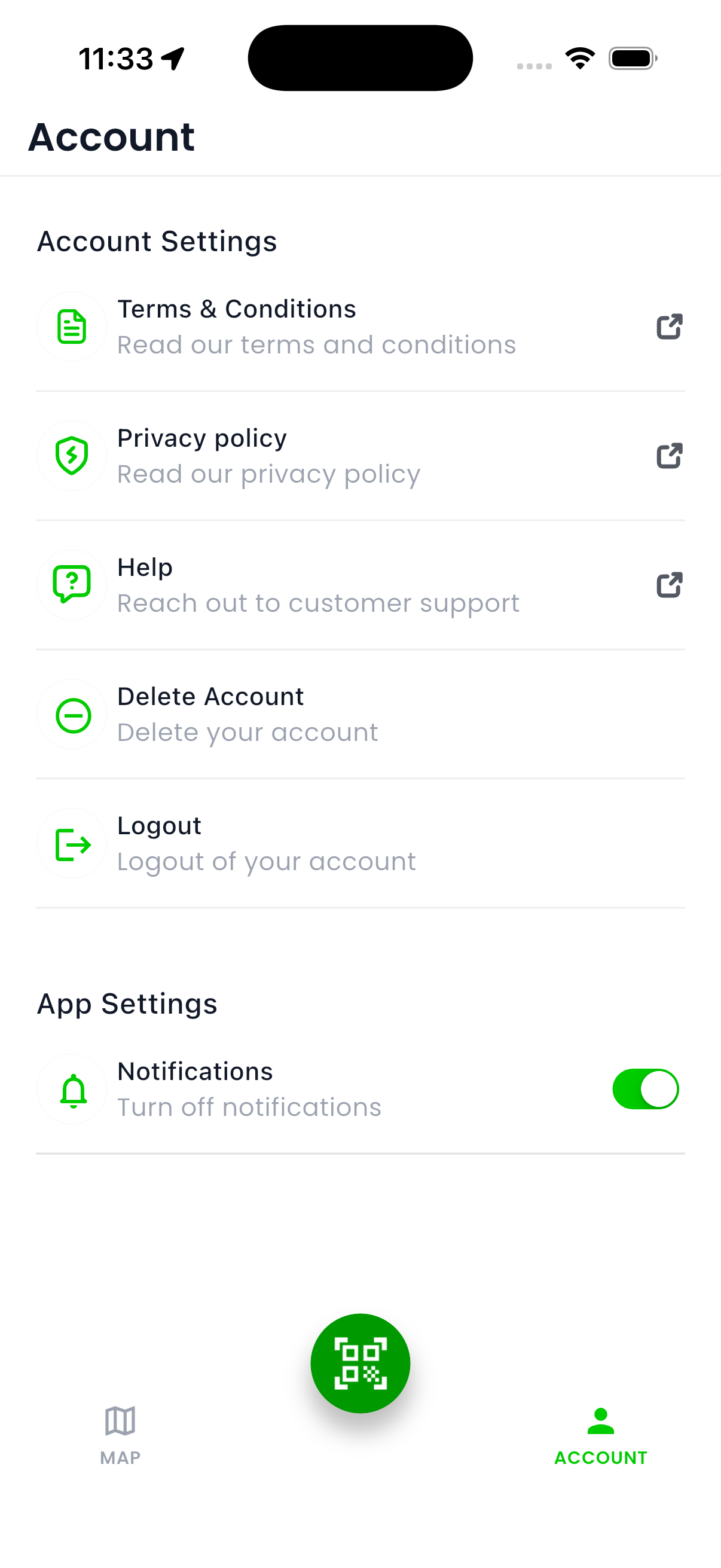
Step 1
Delete Account feature
From the account tab you can access the Delete Account feature to begin the process
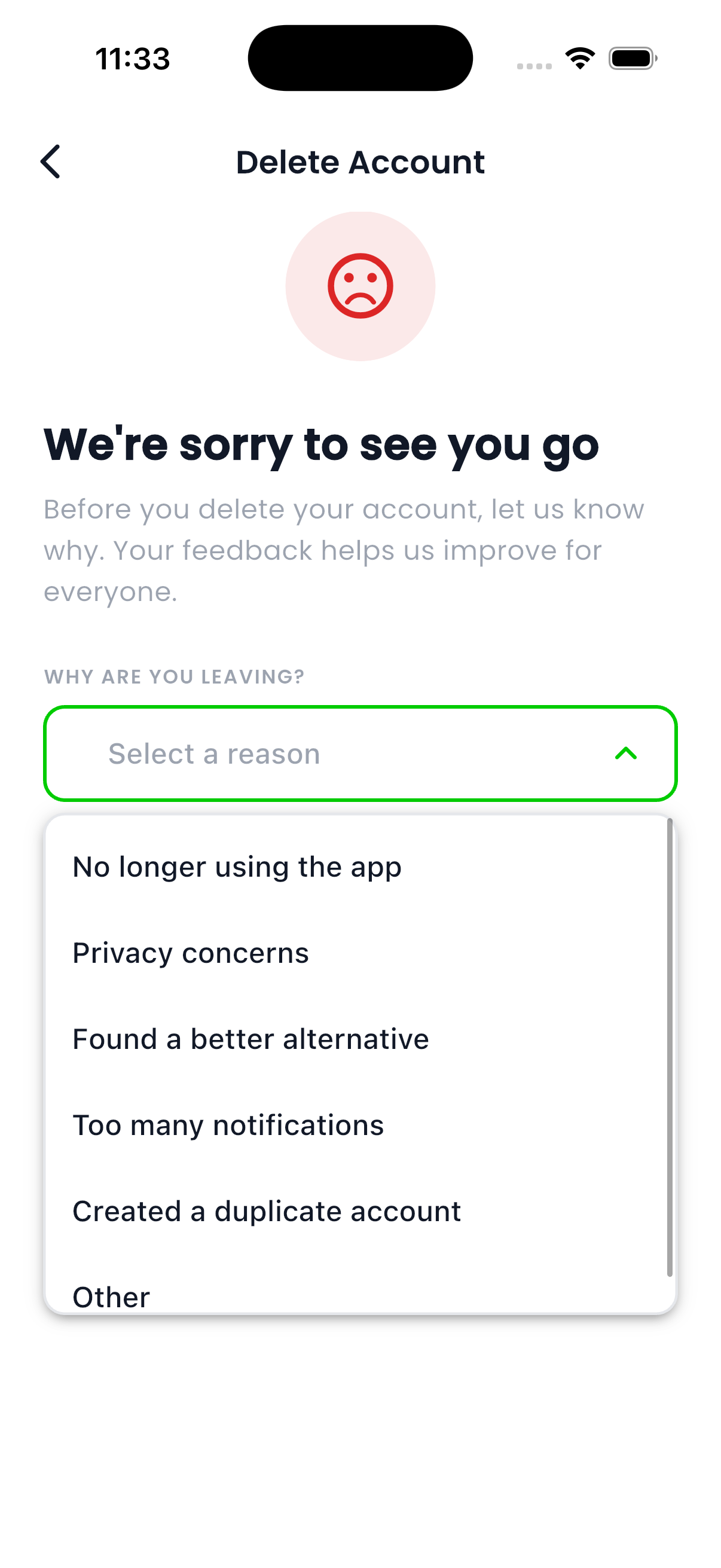
Step 2
Select a reason for deletion
Select a reason why you want to delete your account and tap on “Delete Account”.
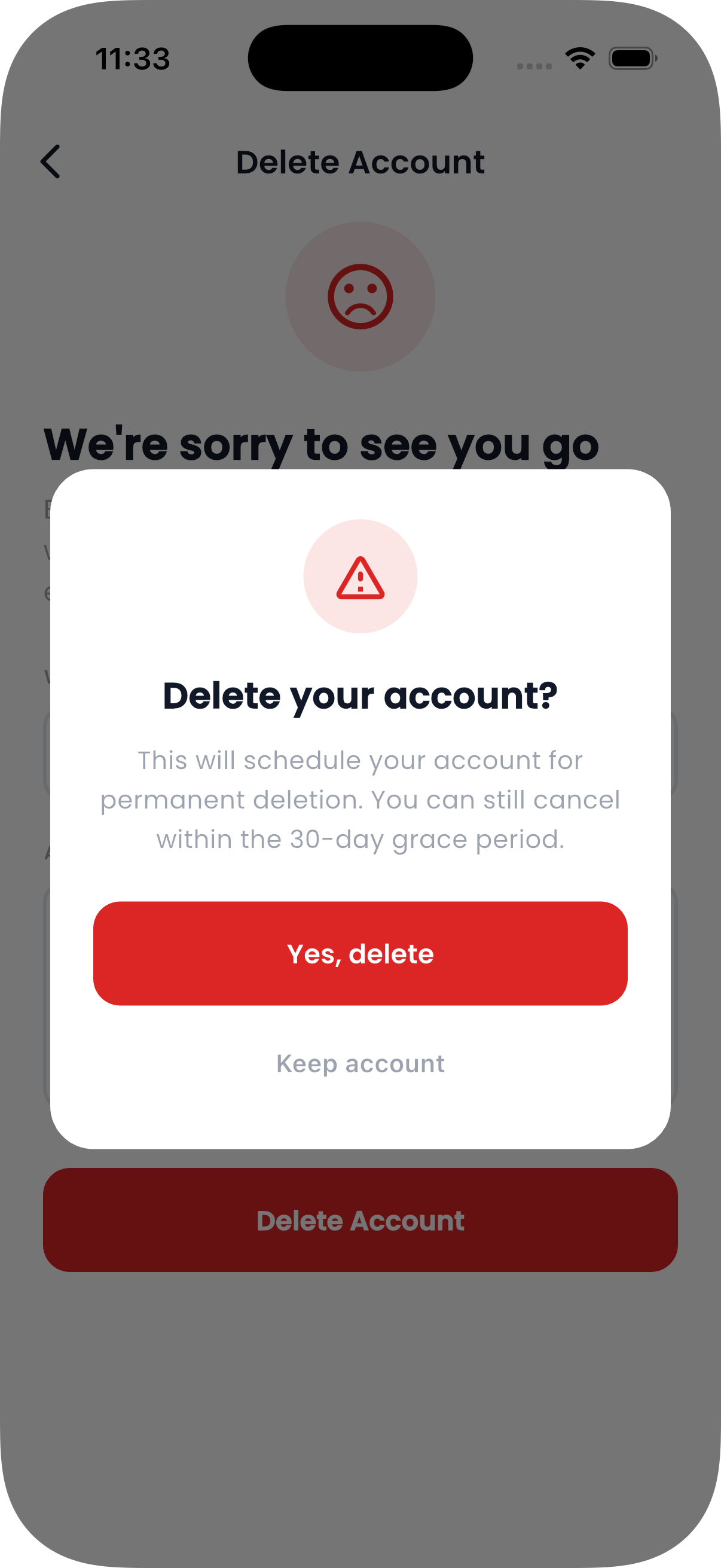
Step 3
Confirm deletion
After tapping on the “Delete Account” button this pop-up will appear to confirm your action.
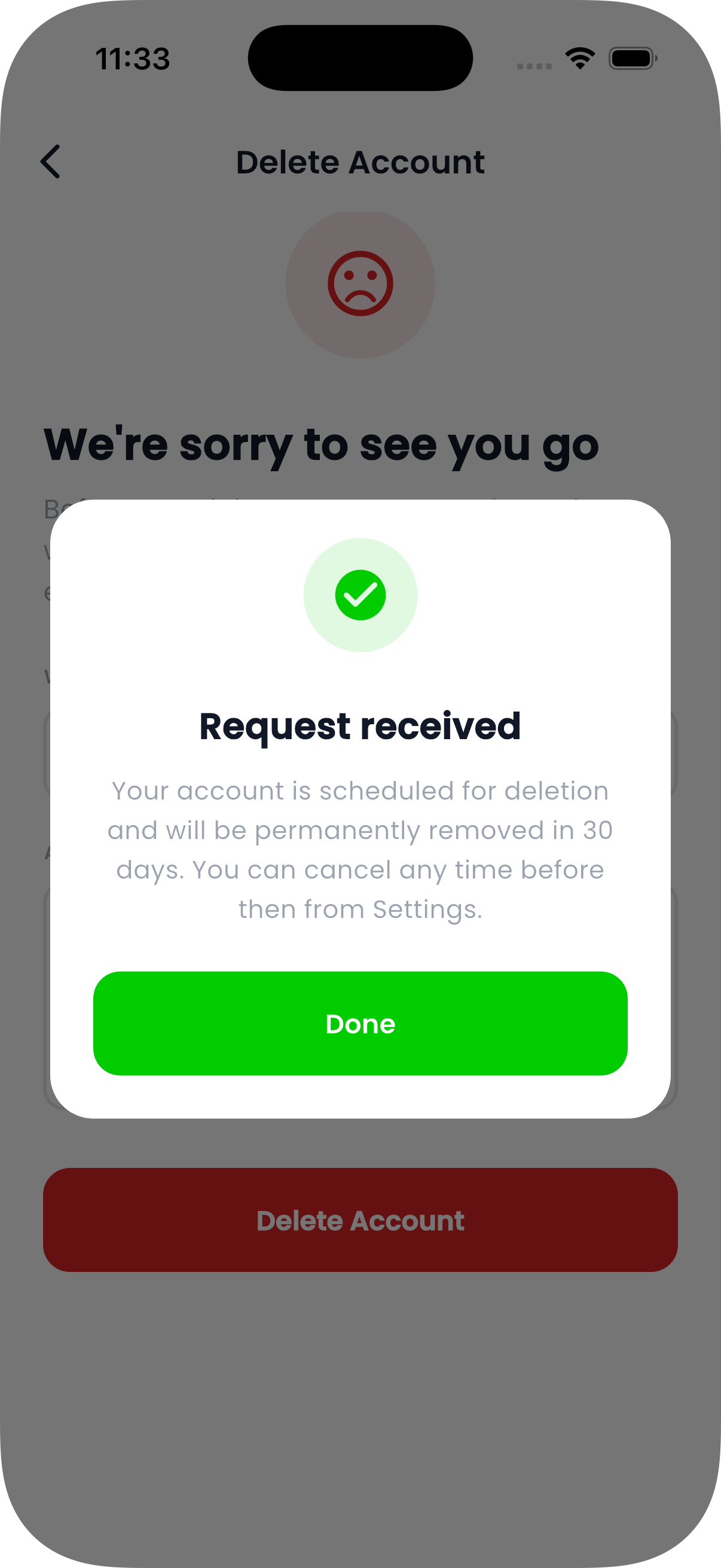
Step 4
Request confirmation
Once you tap on “Delete Account” button this pop-up will appear to confirm your action.
Step 5
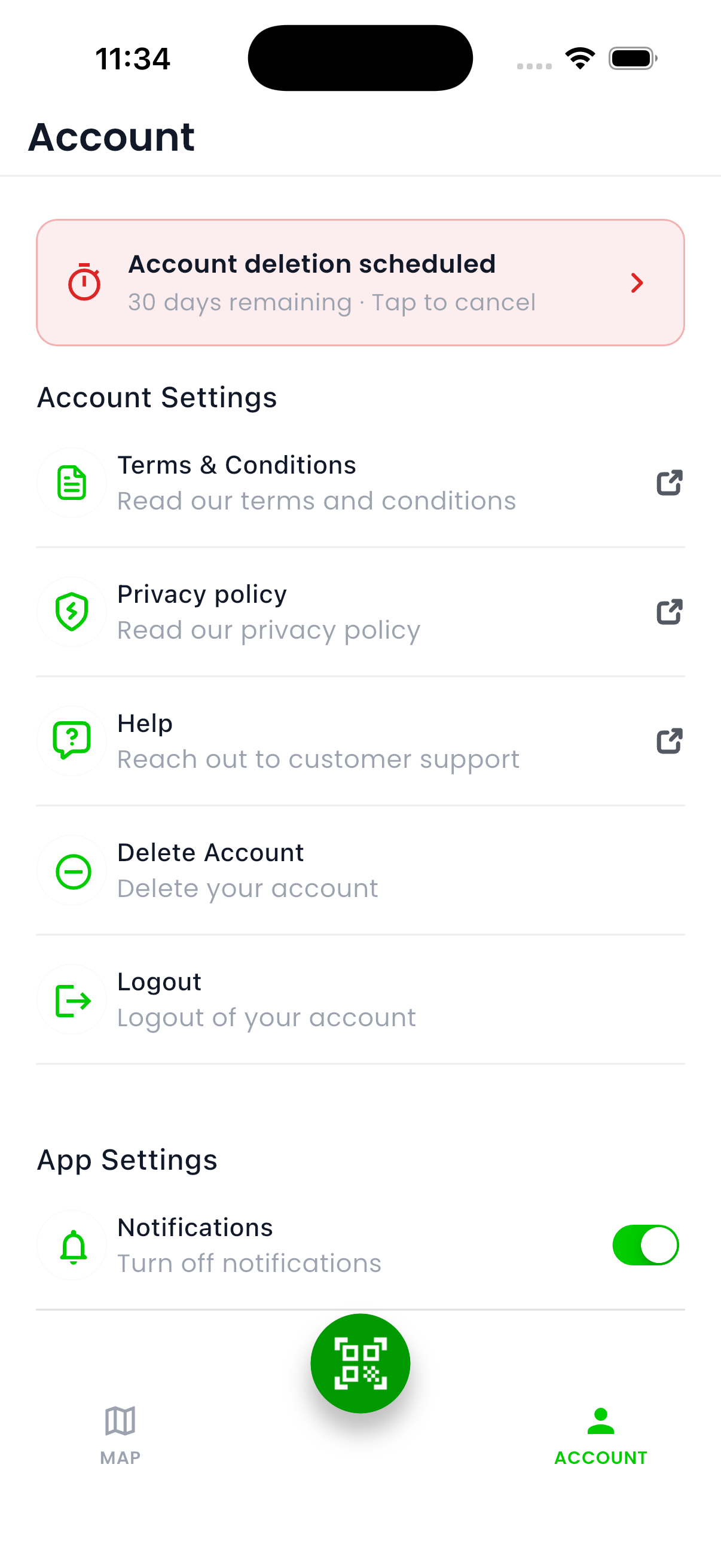
Deletion banner
A banner showing the remaining time to delete your account will appear on your account profile screen. You can tap on the banner to cancel your account deletion request
Cancelling deletion
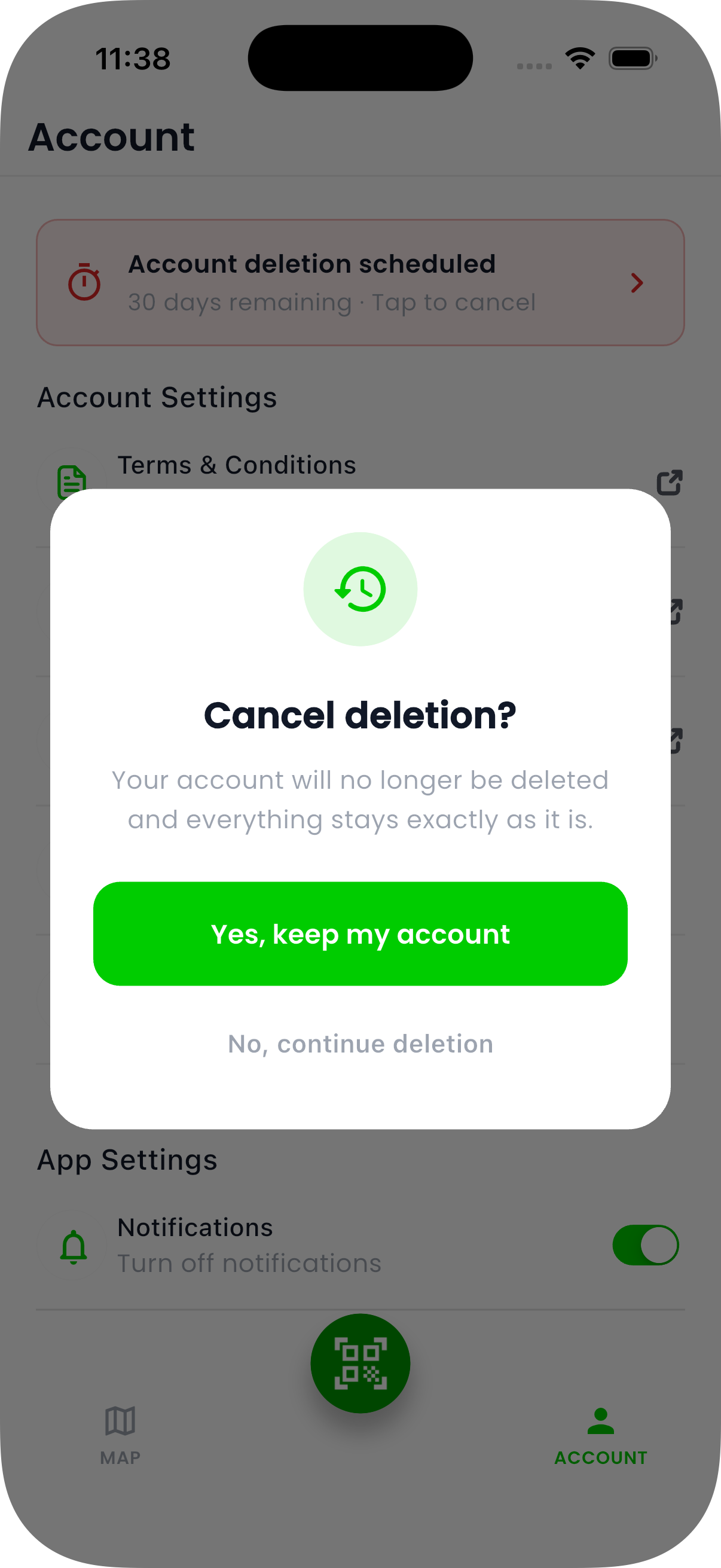
Cancel deletion
If you choose to cancel you account deletion, you can tap on the account deletion schedule banner and receive this pop-up. Tap on “Yes, keep my account“ to cancel the deletion and keep your account.